So after about ten hours into Tears of the Kingdom I noticed my hands cramping up with the Joy-Con controllers. I’ve only played Mario Kart World and Mario Odyssey on the Switch 2, but those were mostly shorter play sessions, especially because I played Odyssey together with my son and we took turns. And also because we played that with a Joy-Con in each hand. But now with longer play sessions my hands are starting to cramp. Although I haven’t tried playing Zelda with a Joy-Con in each hand yet.
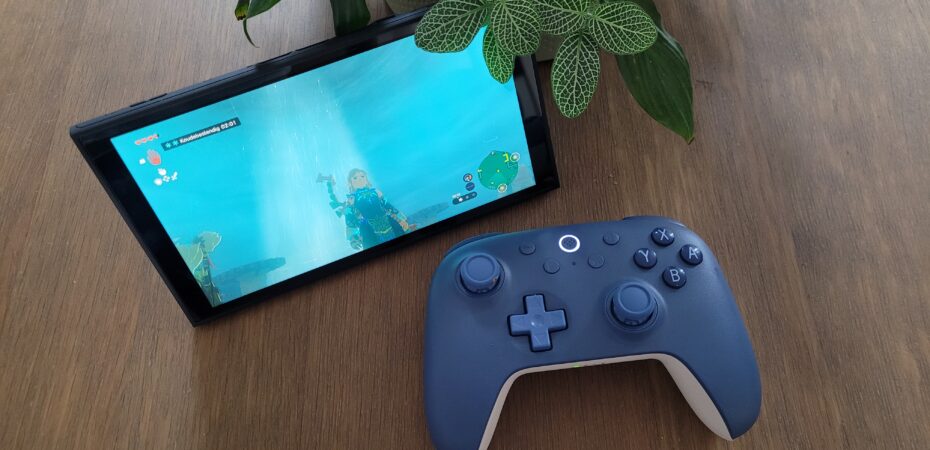
To alleviate that I bought an 8bitdo Ultimate 2c controller. I decided on this because it’s a lot cheaper then the Switch 2 Pro controller and I’m very happy with the other two 8bitdo controllers I have that resemble a SNES controller and a Sega MegaDrive one.
It plays very well for such a relatively cheap controller. The sticks have a wider throw than the Joy-Cons but that’s to be expected because they’re slightly bigger. The layout is also a bit different and it took some time for my muscle memory to adapt. One minor gripe I have is that the plus and minus buttons are a little too sunken into the gamepad. This always annoys me, just like the options button on the PS4/5 controller. I would have liked them to stick out a little more, because you have to use them all the time. Maybe I’ll try to remap them to the extra L4/R4 buttons. But that’s only a very minor thing, because they’re way better than the actual plus and minus buttons on the Joy-Cons.
Another minor annoyance is that the controller doesn’t want to wake up the console. I thought I read something about that, but I haven’t looked into it properly. It’s especially annoying because the Switch 2 turns itself off if the tv isn’t set into the right input. I know I can turn on the auto input switching on my tv. But that is annoying when I remotely turn on the PS5 through my PS4 upstairs while someone else is watching tv.
The last thing I want to mention here is that I have the greatest difficulty adjusting to the reverse actions of the A and B buttons compared to the circle and cross buttons on the PlayStation. I thought I saw an option to reverse the A and B buttons in the setting. Maybe I’ll try that out. And maybe I’ll try to open up the controller to switch the actual buttons as well. My OCD has to be satisfied.